.png)


Email Scheduling Tips for Professionals in 2026

TL;DR:
- Effective email scheduling focuses on timing messages for the recipient’s local time and optimal engagement windows, like mid-week mornings. Gmail and Outlook offer different scheduling functionalities, with Gmail providing reliable server-side delivery up to 49 days and Outlook desktop requiring the app to be open at send time. Systematic testing, batching by time zone, and integrating scheduling into broader workflows significantly improve open rates and compliance while turning timing into a competitive advantage.
Email scheduling is the practice of planning and queuing email delivery to reach recipients at the precise moment they are most likely to engage. Gmail, Outlook, and advanced email service providers (ESPs) all offer native scheduling features, yet most professionals use them reactively rather than strategically. The difference between a 20% open rate and a 35% open rate often comes down to when an email lands, not just what it says. These email scheduling tips give you the framework to turn timing into a measurable competitive advantage.
1. The top email scheduling tips every professional needs
The most effective email scheduling strategy starts with one rule: schedule for the recipient’s clock, not yours. An email sent at 9 AM your time lands at 2 AM for a client in London. That single oversight buries your message under an overnight backlog before the workday even begins.
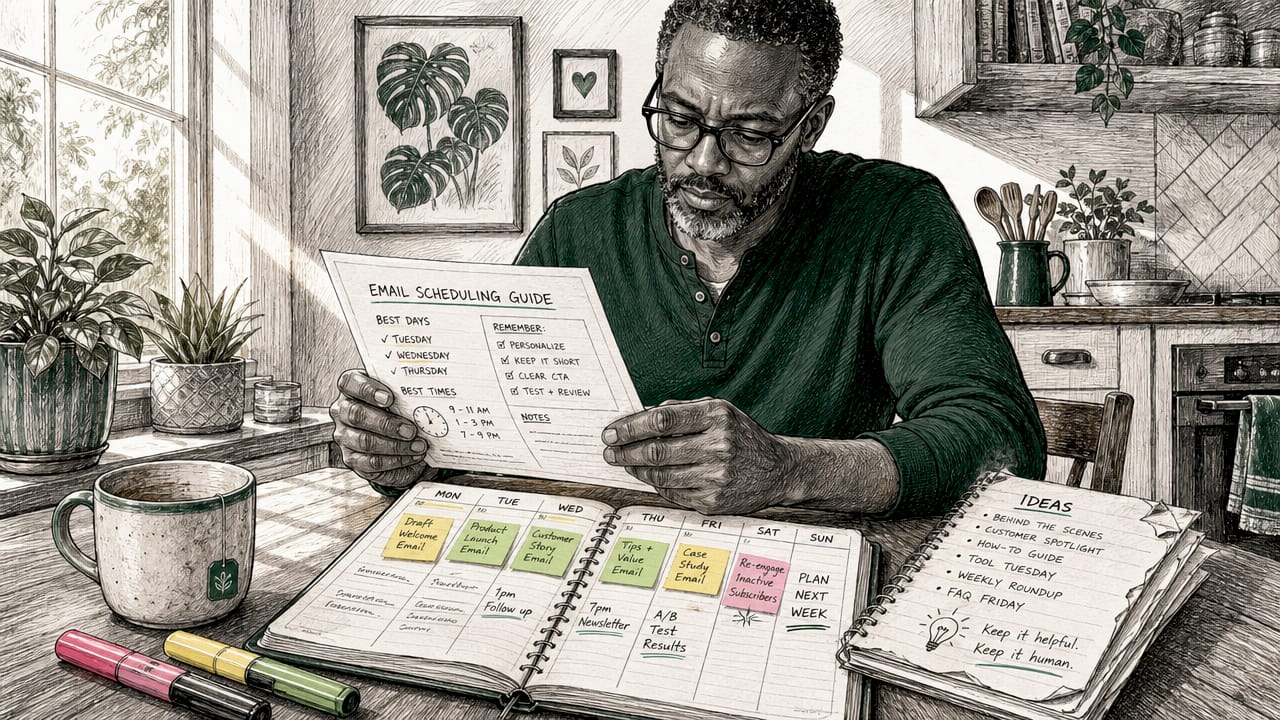
Mid-week mornings remain best for B2B engagement, with Tuesday through Thursday between 9 and 11 AM consistently outperforming other windows. This means your sales follow-ups, proposals, and client updates should default to that window unless your analytics tell you otherwise.
Here are the core principles that separate disciplined schedulers from reactive senders:
- Schedule in the recipient’s local time zone. Every major ESP and both Gmail and Outlook support timezone-aware scheduling. Use it every time.
- Avoid Monday 8 to 9 AM and Friday afternoons. Inboxes are either being triaged or abandoned during those windows. Your email competes with weekend backlog or pre-weekend disengagement.
- Batch write and schedule emails in one sitting. Context-switching between writing and sending fragments your focus. Write all emails for a given timezone block, then schedule them together.
- Schedule at odd minutes, not on the hour. An email sent at 10:07 AM rather than 10:00 AM avoids server congestion that clusters at exact hours and can trigger spam filters.
- Respect right-to-disconnect laws. France, Australia, Belgium, and Spain have after-hours email protections for employees. Scheduling within standard working hours is both a compliance move and a professional courtesy.
- Never schedule urgent or reactive emails. If a client just raised a critical issue, send immediately. Scheduling a response to a crisis signals indifference.
Pro Tip: Build a recurring calendar block on Tuesday and Wednesday mornings to batch-write and schedule the week’s outbound emails. This single habit eliminates the reactive send-and-forget cycle that kills deliverability and response rates.
2. How Gmail and Outlook scheduling features compare
Gmail and Outlook handle scheduling in fundamentally different ways, and choosing the wrong method for your workflow creates real problems.
Gmail stores scheduled emails server-side, meaning your device does not need to be online at send time. Gmail schedules up to 49 days in advance, and scheduled emails sync across all devices under the Scheduled label. The limitation: Gmail requires canceling and re-scheduling to edit a queued email. There is no in-place editing. Canceling moves the email back to Drafts, where you make changes and reschedule from scratch. Gmail also caps active scheduled emails at 100 and offers no native recurring scheduling. Users who need recurring sends must use Google Apps Script or a third-party tool.
Outlook splits into two distinct behaviors depending on the client. The desktop app’s “Delay Delivery” feature stores the email in your Outbox and requires Outlook open at send time. If your laptop is closed or offline, the email does not send. Outlook on the web and mobile, however, operates server-side like Gmail, with suggested or custom send times accessible directly from the Send button dropdown.
| Feature | Gmail | Outlook desktop | Outlook web/mobile |
|---|---|---|---|
| Server-side sending | Yes | No | Yes |
| Max scheduling window | 49 days | No hard limit | No hard limit |
| Edit scheduled email | Cancel and reschedule | Edit in Outbox | Cancel and reschedule |
| Recurring scheduling | No (needs script/tool) | No | No |
| Device must be online | No | Yes | No |
Pro Tip: If you use Outlook desktop and travel frequently, switch to Outlook on the web for any emails scheduled more than a few hours out. A closed laptop will silently hold your email in Outbox until you reconnect.
The practical takeaway: Gmail web and Outlook web are the most reliable scheduling environments for professionals who need fire-and-forget delivery. Desktop Outlook is fine for same-day delays but unreliable for overnight or multi-day scheduling.
3. Timing strategies that actually move open rates
Timing is not a one-size-fits-all formula. The optimal send time is unique per audience, and mid-week mornings are a starting point, not a final answer. The professionals who consistently outperform benchmarks treat timing as a variable to test, not a rule to follow blindly.
The data-backed starting points are clear. For B2B audiences, Tuesday through Thursday between 9 and 11 AM in the recipient’s local time produces the strongest average open and click rates. For B2C, the picture shifts. Evenings and weekends often outperform weekday mornings because consumers read personal email outside work hours. A DTC brand sending a promotional campaign at 10 AM Tuesday is competing with work notifications. That same campaign sent at 8 PM Thursday lands in a quieter inbox.
Where most professionals go wrong:
- Sending to a national list at a single fixed time, ignoring that subscribers span multiple time zones
- Assuming B2B timing rules apply to B2C audiences
- Never testing alternatives because the current open rate feels “good enough”
- Scheduling exactly on the hour, which increases spam filter risk due to server traffic spikes
How to find your actual optimal window:
A/B testing send times is the most direct method. Split your list into two equal segments, send the same email at two different times, and measure open rates over 48 hours. Tools like Klaviyo, Mailchimp, and Brevo all support send-time A/B tests natively. Run the test three times before drawing conclusions. A single data point is noise. Three consistent results are a signal.
For international email marketing, timezone-optimized scheduling prevents the most common engagement killer: emails arriving at 3 AM. Brevo and Klaviyo both offer timezone-aware send features that automatically adjust delivery based on each subscriber’s location data.
AI-powered Send Time Optimization takes this further by analyzing individual subscriber engagement history to send each email at the precise moment that subscriber is most likely to open it. This outperforms segment-level timing because it personalizes delivery at the individual level, not the list level.
Pro Tip: Check your email marketing benchmarks by industry before setting your baseline. A 22% open rate is excellent in some verticals and mediocre in others. Knowing your benchmark prevents you from optimizing against the wrong target.
4. Advanced scheduling strategies for workflow and compliance
Once you have the basics locked in, the next layer of email scheduling strategy is about systems, not individual sends. Professionals managing global communication, marketing calendars, or high-volume outreach need scheduling to function as infrastructure, not a one-off feature.
Batch scheduling by time zone is the most underused workflow improvement available. Writing all emails for one timezone and scheduling them together eliminates the mental overhead of timezone math and reduces errors. The process is simple: group your contacts by region, write all emails for that region in one session, schedule them for the appropriate local window, then move to the next region. This approach works equally well for individual sales professionals and marketing teams running multi-market campaigns.
Integrating scheduling into your marketing calendar turns reactive communication into a planned system. Product launches, milestone emails, drip campaign sequences, and re-engagement flows all benefit from being mapped to a calendar weeks in advance. This is where automated email campaigns become the natural extension of manual scheduling. Once your timing logic is proven through testing, automation locks it in at scale.
Compliance is no longer optional. The right-to-disconnect movement has produced enforceable laws in multiple countries, and scheduling emails to arrive at 11 PM is increasingly a legal and reputational risk, not just a best practice concern. Scheduling within standard business hours for each recipient’s location is the safest default.
Use task automation for follow-up triggers. Tools like HubSpot and Salesforce allow you to set follow-up reminders tied to scheduled email sends. If a scheduled email goes unopened after 48 hours, an automated task prompts you to follow up through a different channel. This closes the loop that most manual schedulers leave open.
The one category where scheduling fails: urgent, time-sensitive communication. Scheduling a response to a client emergency signals that you are not paying attention. Reserve scheduling for planned, non-reactive communication and send everything urgent immediately.
Key takeaways
Effective email scheduling combines recipient-centric timing, platform-specific knowledge, and systematic testing to produce measurably better engagement than reactive sending.
| Point | Details |
|---|---|
| Default to mid-week mornings for B2B | Tuesday through Thursday, 9 to 11 AM recipient local time, consistently outperforms other windows. |
| Know your platform’s limits | Gmail sends server-side; Outlook desktop requires the app open at send time. |
| Schedule at odd minutes | Sending at 10:07 AM instead of 10:00 AM reduces server congestion and spam filter risk. |
| Batch by time zone | Group emails by recipient region and schedule them together to eliminate timezone errors. |
| Test before you automate | Run A/B send-time tests at least three times before locking in a schedule with automation tools. |
Why most professionals are still leaving engagement on the table
I have reviewed hundreds of email programs across DTC brands, B2B service firms, and subscription businesses, and the pattern is almost always the same. The content is solid. The design is clean. The timing is an afterthought.
The most common mistake I see is not ignoring time zones. It is assuming that because a tactic works for one audience segment, it works for all of them. A founder sending the same campaign to a list of 40,000 subscribers across four continents at a single fixed time is not doing email scheduling. They are doing email broadcasting and hoping for the best.
What actually works is treating timing as a first-class variable in your email strategy, the same way you treat subject lines and offers. That means running send-time A/B tests on a quarterly basis, reviewing your engagement data by segment, and adjusting your scheduling logic when the data shifts. Audiences change. Work patterns change. The optimal window for your list in 2024 may not be the optimal window in 2026.
The other thing I would push back on is the over-reliance on AI Send Time Optimization as a substitute for understanding your audience. STO is a powerful tool, but it optimizes for past behavior. If your list has a deliverability problem, a content problem, or a segmentation problem, STO will optimize your way to slightly better results on a fundamentally broken program. Fix the strategy first. Then let the tools sharpen it.
Scheduling is not the whole game. It is one lever in a larger system that includes content quality, segmentation, list hygiene, and follow-up. Pull the lever correctly and it compounds everything else.
— Melanie
How The Email Marketers can sharpen your scheduling strategy
The Email Marketers works with 8-figure DTC brands and growth-focused e-commerce businesses to build email programs where timing, content, and automation work together. If your open rates have plateaued or your campaigns are not converting at the level your list size should support, the issue is rarely the email itself. It is the system behind it. Explore the client results that show exactly how scheduling and retention strategy combine to drive measurable revenue. For brands ready to build a full retention engine, the Retention Lab is where that work starts.
FAQ
What is the best time to send a B2B email?
Tuesday through Thursday between 9 and 11 AM in the recipient’s local time zone produces the strongest average open rates for B2B audiences. Avoid Monday mornings and Friday afternoons due to consistently lower engagement.
Does Gmail send scheduled emails if my computer is off?
Yes. Gmail uses server-side scheduling, so your device does not need to be online at send time. Scheduled emails sync across all devices and deliver automatically from Gmail’s servers.
Can I edit a scheduled email in Gmail?
Gmail does not support in-place editing of scheduled emails. You must cancel the scheduled send, which moves the email back to Drafts, make your changes, and reschedule it.
What is Send Time Optimization?
Send Time Optimization is an AI-powered feature offered by ESPs like Klaviyo and Brevo that analyzes each subscriber’s individual engagement history to deliver emails at the moment that person is most likely to open them. It outperforms fixed-time scheduling for large, diverse lists.
How do I avoid spam filters when scheduling emails?
Schedule emails at odd minutes rather than exactly on the hour. Server traffic spikes at :00 and :30 can trigger spam filter clustering. Sending at 10:07 AM instead of 10:00 AM is a small adjustment that improves deliverability at scale.


