.png)


Email Address for Business and Personal Use: 2026 Guide

TL;DR:
- Choosing a professional email address impacts your brand’s credibility and email deliverability.
- Verifying, authenticating, and maintaining consistency in your email addresses are essential for effective communication.
An email address is a unique identifier that routes digital messages between senders and recipients across the internet. Structured as a local part, an @ symbol, and a domain (for example, jane.smith@company.com), it serves as the foundation for personal communication, account registration, and marketing outreach. The RFC 5321 standard governs how email addresses are formed and validated globally. Whether you need a free email address for a personal account or a custom-domain address for a business, the choices you make here directly affect your credibility, deliverability, and long-term brand perception. Theemailmarketers works with e-commerce brands daily and sees firsthand how email address decisions shape marketing results.
What is the right email address for your needs?
The right type of email address depends on your purpose. A free personal account works for everyday communication and account signups. A custom-domain address is the standard for any business that wants to be taken seriously.

Free providers like Gmail, Outlook, and Yahoo Mail offer accounts at no cost. Creating a personal account takes less than 10 minutes and requires a unique username, a strong password, and phone verification via SMS. That speed makes free accounts the practical choice for individuals, side projects, or testing new tools.
Custom-domain addresses follow the format name@yourbusiness.com. They signal that your business is established and that you control your own infrastructure. A Gmail address for a business pitch reads as informal. A branded domain address reads as professional, and that distinction affects whether recipients open your email or ignore it.
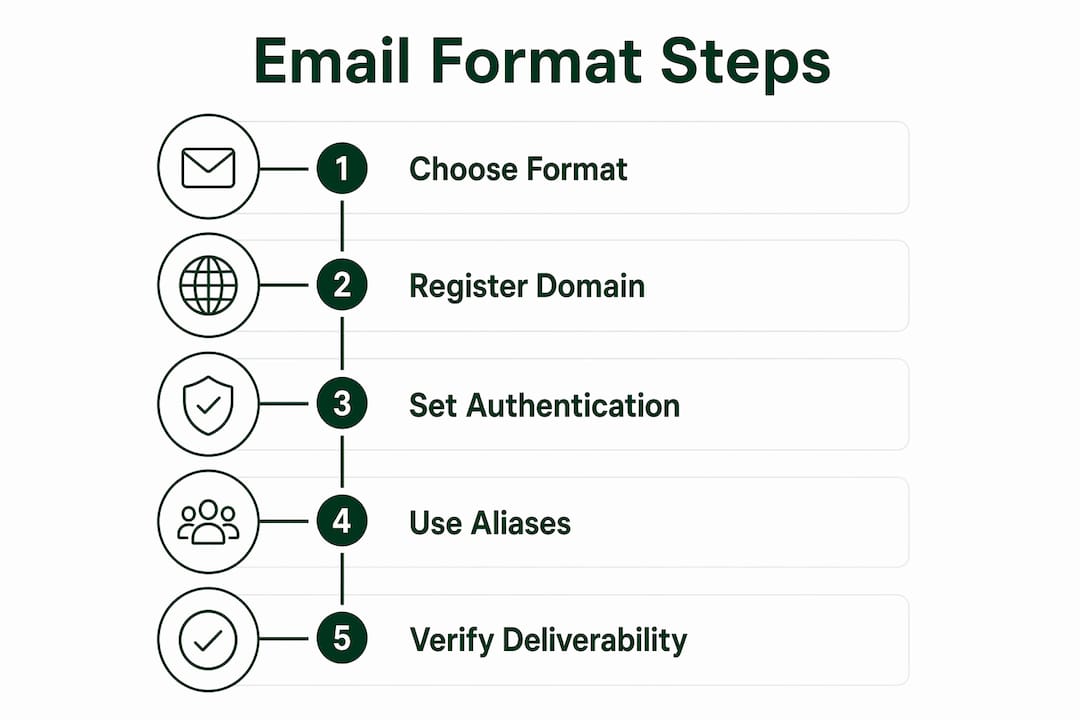
Pro Tip: Register your business domain before creating email accounts. Domain availability changes fast, and securing it early prevents a competitor or squatter from taking your preferred name.
How to create an email address step by step
Setting up a free personal account
- Choose a provider. Gmail, Outlook, and Yahoo Mail are the most widely used free services. Gmail integrates with Google Workspace tools, which makes it a practical starting point for individuals and small teams.
- Pick a username. Use your real name or a close variant. Avoid numbers and underscores where possible. A clean username (janesmith or jane.smith) is easier to share verbally and looks more credible on a resume or business card.
- Set a strong password. Use at least 12 characters with a mix of letters, numbers, and symbols. A password manager like 1Password or Bitwarden generates and stores these securely.
- Verify your phone number. Providers send a one-time SMS code to confirm your identity. This step protects your account from unauthorized access and is required by all major free providers.
- Accept the terms of service. Read the data and privacy sections before agreeing. Free providers monetize user data in different ways, and knowing the terms helps you decide whether a paid alternative makes more sense for sensitive communications.
Setting up a custom-domain business address
Registering a domain through providers like Google Domains, Namecheap, or GoDaddy typically costs $10–$20 per year. After registration, you connect the domain to a hosted email service. Google Workspace and Microsoft 365 are the two most common choices for businesses. Both offer admin controls, shared calendars, and storage that free accounts do not provide.
Pro Tip: Set up your email authentication records (SPF, DKIM, and DMARC) immediately after creating your business address. Skipping this step is the single fastest way to land in spam folders.
What are the best formats for a professional email address?
The industry standard format for professional email addresses is firstname.lastname@domain.com. It is predictable, unambiguous, and scales well as a team grows. Other common formats include:
- first@domain.com — works well for small teams where first names are unique
- flast@domain.com — a compact option that large companies use to handle name collisions
- f.last@domain.com — a middle-ground format that balances brevity and clarity
- firstname.lastname@domain.com — the gold standard for most organizations
Consistency across your organization matters as much as the format itself. Mixing firstname.lastname@ for some employees and f.last@ for others creates confusion for clients and erodes early trust. Pick one format and apply it across every account.
Avoid role-based addresses for individual accounts like manager@ or director@. Positions change, but a person’s name stays constant. Role-based addresses create continuity problems when staff turns over and weaken personal brand equity over time.
Role-based addresses do have a legitimate use: inbound customer service. Addresses like support@, sales@, and info@ work well as shared inboxes for teams. They should not be used for outbound marketing, where deliverability depends on sender reputation tied to a named individual.
| Format | Best for | Example |
|---|---|---|
| firstname.lastname@ | Most businesses, clearest identity | jane.smith@brand.com |
| first@ | Small teams with unique first names | jane@brand.com |
| flast@ | Large companies managing name collisions | jsmith@brand.com |
| support@ / sales@ | Shared inboxes for inbound service | support@brand.com |
Pro Tip: Use email aliases to separate functions without creating new accounts. An alias like newsletter@yourdomain.com can route to your main inbox while keeping your primary address private.
How do you find or verify an email address for outreach?
Finding a verified contact address is a skill that separates effective outreach from wasted effort. Start with official company pages before trying anything else. About pages, press sections, and contact forms frequently list direct addresses for key staff.
LinkedIn is the next stop. Many professionals list their contact email in the Contact Info section of their profile. Press releases and media kits also contain direct addresses for PR contacts, which often follow the same naming pattern as the rest of the company.
Once you identify one verified address at a company, you can test pattern variations for other employees using an email verification tool. If you confirm that the company uses firstname.lastname@, you can apply that pattern to other names and verify before sending. This method reduces bounce rates and protects your sender reputation.
- Check the company website first. About, Team, and Press pages are the most reliable sources.
- Search LinkedIn contact sections. Many professionals list their direct email publicly.
- Use email verification tools. Tools that check MX records and SMTP responses confirm whether an address is live before you send.
- Avoid automated scrapers. Scraped lists go stale fast. Outdated addresses cause bounces, and high bounce rates damage your sending domain.
- Never buy email lists. Purchased lists contain unverified, often invalid addresses that harm deliverability and violate CAN-SPAM and GDPR regulations.
Pro Tip: Send a test to your own address using the pattern you identified before launching a full outreach sequence. One confirmed delivery tells you the format is correct.
Security and deliverability considerations for email addresses
Email security is not optional for businesses. Implementing DMARC, SPF, and DKIM records is the baseline requirement for any domain used to send email. Without these protocols, even well-crafted emails from legitimate senders land in spam. That means lost revenue, not just inconvenience. You can read more about how these factors connect in Theemailmarketers’ guide on improving email deliverability.
Phishing attacks frequently use look-alike domains, such as company-name.net instead of company-name.com, or subtle typos like cornpany.com. Registering common misspellings of your domain and setting up DMARC monitoring catches spoofing attempts before they reach your customers.
Email aliases add a practical security layer by separating functions without exposing your primary address. A sales alias, a support alias, and a newsletter alias each route to the right inbox. If one alias attracts spam, you disable it without touching the main account.
Additional practices that protect your sending reputation:
- Use unique passwords for every email account and store them in a password manager
- Enable two-factor authentication on all business email accounts
- Monitor your domain’s blacklist status monthly using tools like MXToolbox
- Keep your contact lists clean by removing hard bounces after every campaign
- Avoid spam-trigger words in your sending name and address, not just in the email body
The naming convention you choose also affects spam filter scoring. Addresses with random numbers, excessive punctuation, or generic terms like info123@ score lower on trust signals than clean, name-based addresses.
Key Takeaways
The right email address format, combined with proper authentication, is the single most controllable factor in email deliverability and professional credibility.
| Point | Details |
|---|---|
| Use firstname.lastname@ as the default | This format is the industry standard and builds immediate trust with recipients. |
| Set up SPF, DKIM, and DMARC on day one | Authentication records prevent spam filtering and protect your domain from spoofing. |
| Verify before you send | Use verification tools to confirm addresses are live and reduce bounce rates. |
| Avoid role-based addresses for outbound | Named sender addresses outperform generic ones for deliverability and personal brand. |
| Use aliases to protect your primary inbox | Aliases separate functions and can be disabled independently without disrupting your main account. |
Why email address decisions matter more than most people realize
I have reviewed email programs for dozens of e-commerce brands, and the same mistake appears repeatedly. A founder sets up a business with a Gmail address because it is free and fast, then wonders six months later why their outreach gets ignored and their campaigns land in spam. The address was the first signal, and it was the wrong one.
The format you choose is not just an administrative detail. It tells recipients whether you are a real business or a side project. It affects whether your emails pass spam filters. It shapes how customers perceive your brand before they read a single word of your message. I have seen brands lose meaningful revenue simply because their sending domain lacked DMARC records, a five-minute fix that nobody prioritized.
The other overlooked detail is consistency. When a company uses three different email formats across its team, clients notice. It reads as disorganized. The case studies Theemailmarketers has published show that brands with clean, consistent email infrastructure consistently outperform those that treat address setup as an afterthought. Getting this right at the start costs almost nothing. Fixing it later, after your domain has a damaged reputation, costs significantly more.
— Melanie
How Theemailmarketers helps brands get email right from the start
A professional email setup is the foundation, but it is only the beginning of what drives retention and revenue. Theemailmarketers works with 8-figure DTC brands and VC-backed e-commerce companies to build email programs that perform at every stage of the customer lifecycle. From authentication and deliverability audits to full campaign builds and segmentation strategy, the team handles the technical and creative work that most brands lack the bandwidth to do well. If your current email program is underperforming, the email marketing agency page outlines exactly how Theemailmarketers approaches retention for high-growth brands. You can also review the Retention Lab for a closer look at the services available.
FAQ
What is the standard format for a professional email address?
The industry standard is firstname.lastname@domain.com. It is predictable, clear, and scales well as organizations grow.
How do I create a free email address for personal use?
Sign up with a provider like Gmail or Outlook, choose a unique username, set a strong password, and verify your phone number. The process takes less than 10 minutes.
What is a temporary email address for?
A temporary email address is used for one-time signups or testing to avoid exposing your primary inbox to spam. These addresses expire after a set period and are not suitable for ongoing communication.
Why does my business email land in spam?
Missing SPF, DKIM, or DMARC records are the most common cause. Without these authentication protocols, receiving servers treat your email as a potential threat. Learn more about fixing deliverability issues before your next campaign.
Are email addresses case sensitive?
The domain part of an email address is not case sensitive, but the local part (before the @) technically can be. In practice, email addresses are treated as case insensitive by virtually all major providers.


